Loading...
macOS 14.6+·Apple Silicon·~45 MB RAM·$5.99 once
Everyone else hides the MacBook notch.
We gave it a job.
Dynamic Notch is a native macOS app that turns the MacBook notch into a Dynamic Island. Park files, control playback, read your next meeting, pick a colour, run a timer. All of it without leaving the window you are in.
Signed and notarized by Apple, so it opens like any other Mac app.
This one runs on a Mac. Send yourself the link and pick it up there.
Recorded on a MacBook running Dynamic Notch 4.0. Nothing here is a mockup.
Features
16 things you would otherwise stop working to do.
Every screenshot below is a frame from Dynamic Notch 4.0 running on a real Mac. Nothing on this page is a mockup.
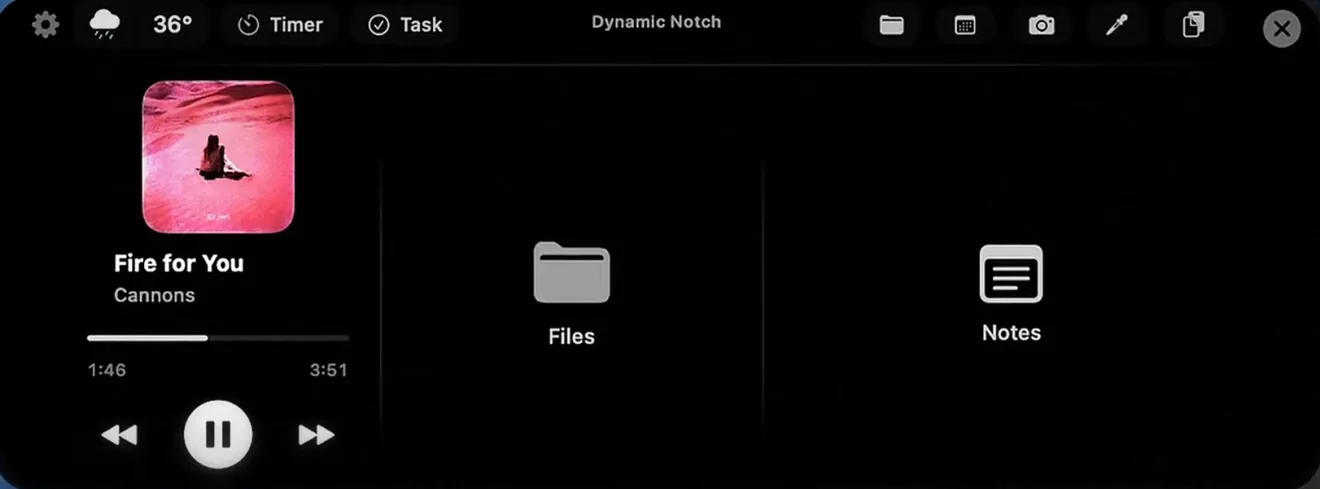
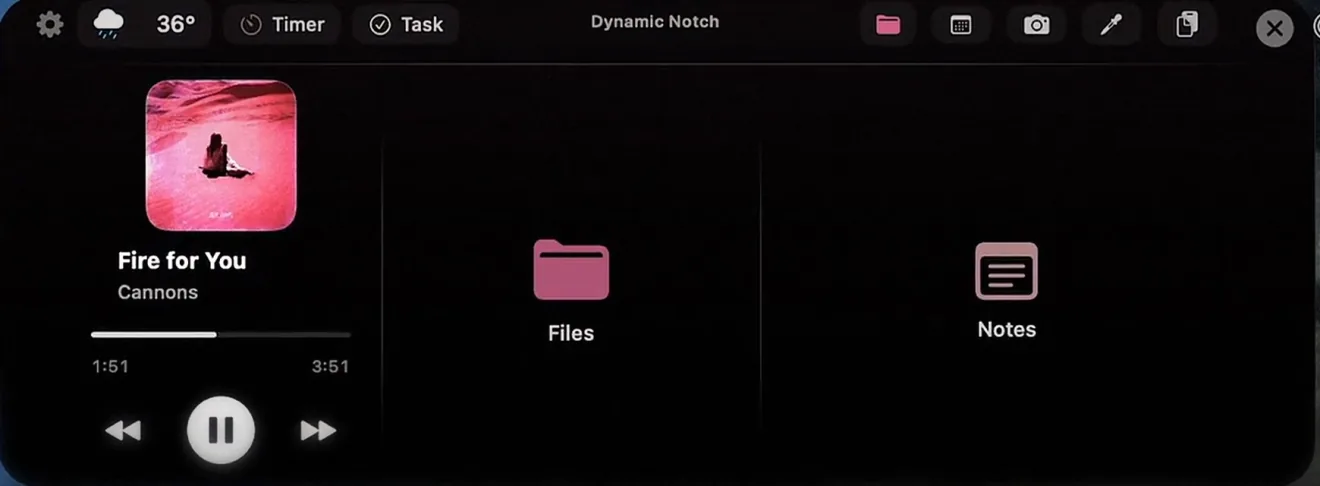
Media player
Artwork, track, scrubber and transport for whatever owns the system audio. Skip a song without raising Spotify, or scrub a video call recording without hunting for the window.
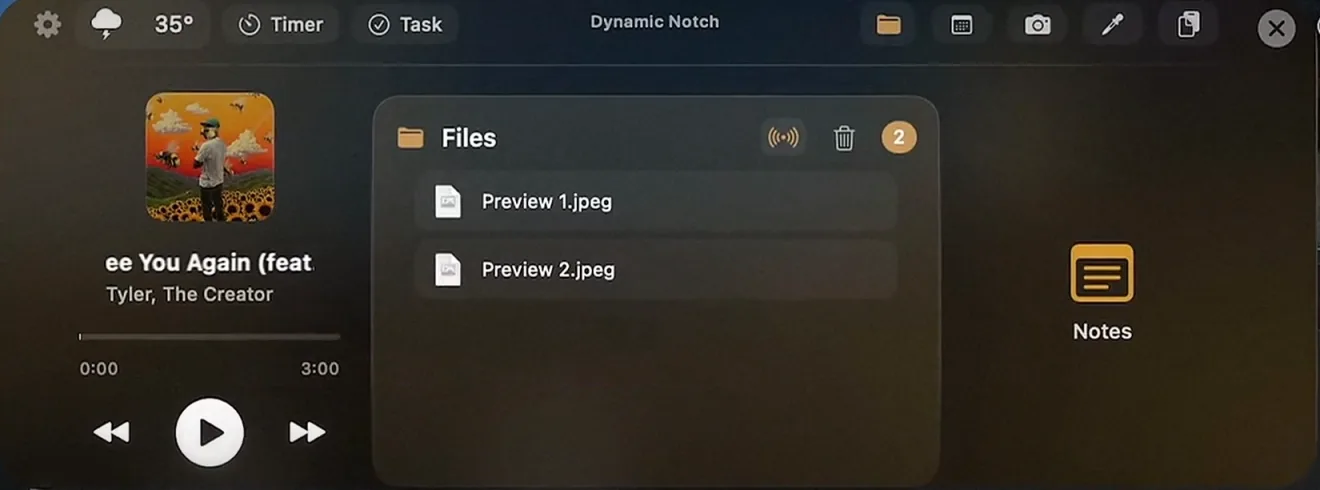
File tray
Drag files up into the notch and it opens to catch them. Walk to another app, drag them back out. Multiple files move as one batch, and the tray keeps them until you take them.
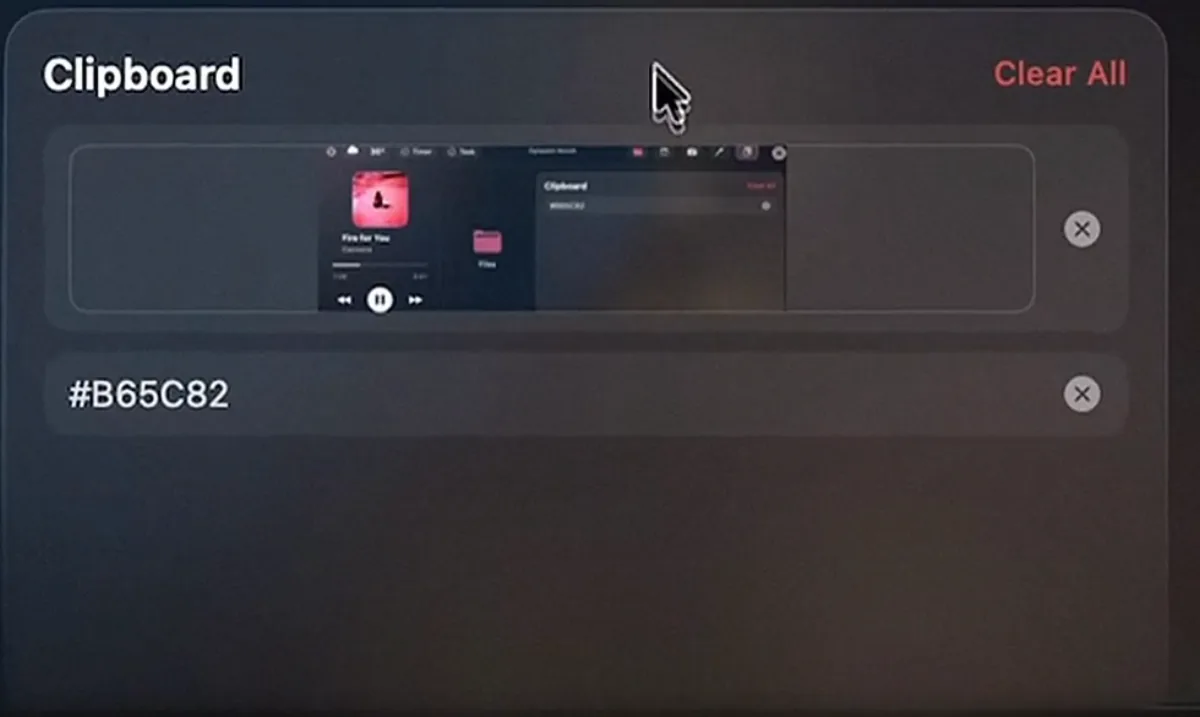
Clipboard history
Text, links, hex values and screenshots you copied earlier, sitting in the notch. Click one to put it back on the clipboard. Password manager fills are skipped.
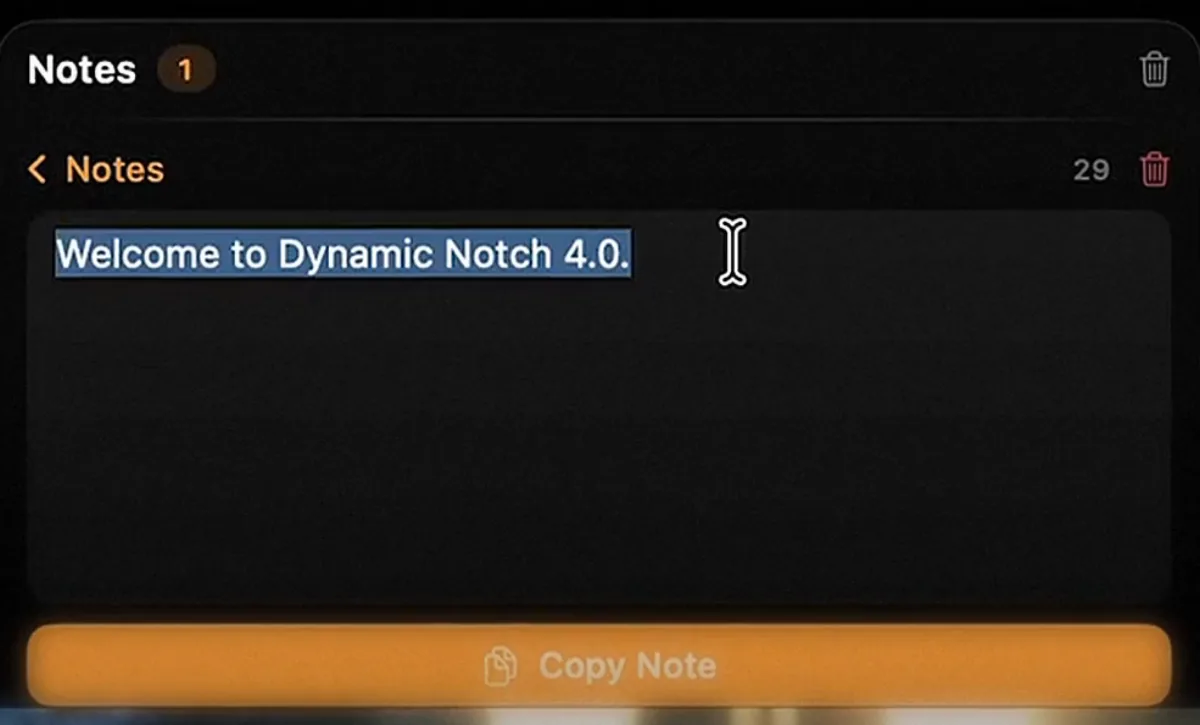
Quick notes
A scratch pad for the thought that disappears in ninety seconds. Type it without leaving the window you are in, and copy it back out with one click.
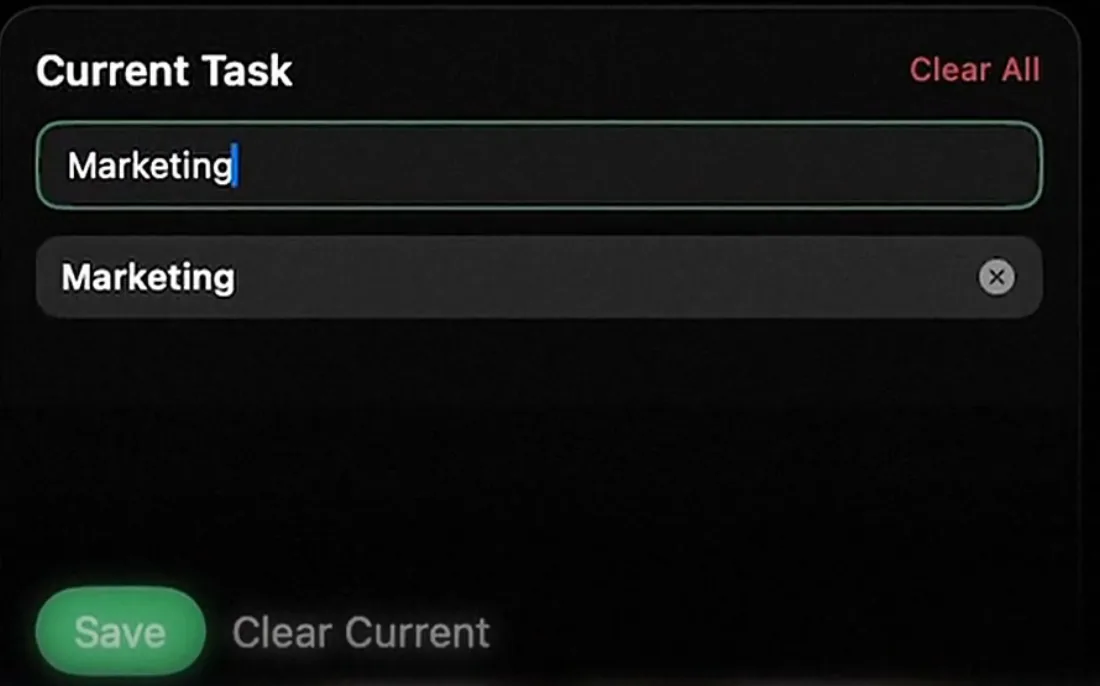
Current task
Name the one thing you are meant to be doing. It stays on the collapsed notch, in the corner of your eye, until you clear it.
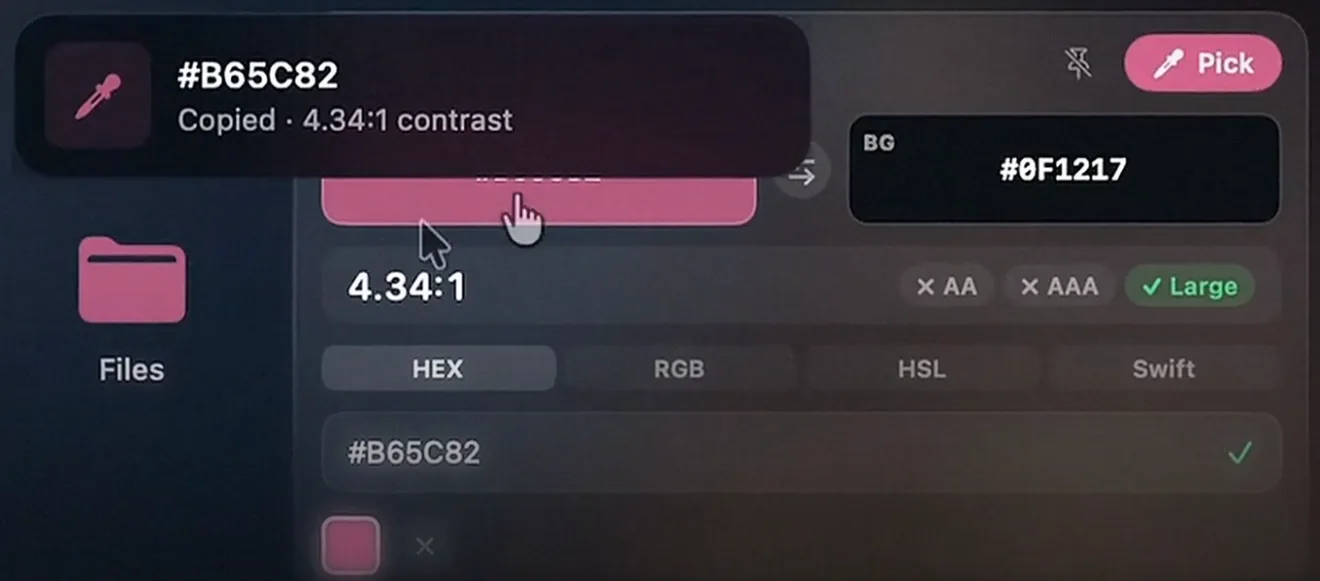
Colour picker
Sample any pixel on any display and read it back as HEX, RGB, HSL or a Swift literal. The WCAG contrast ratio against your background is worked out for you, AA and AAA included.
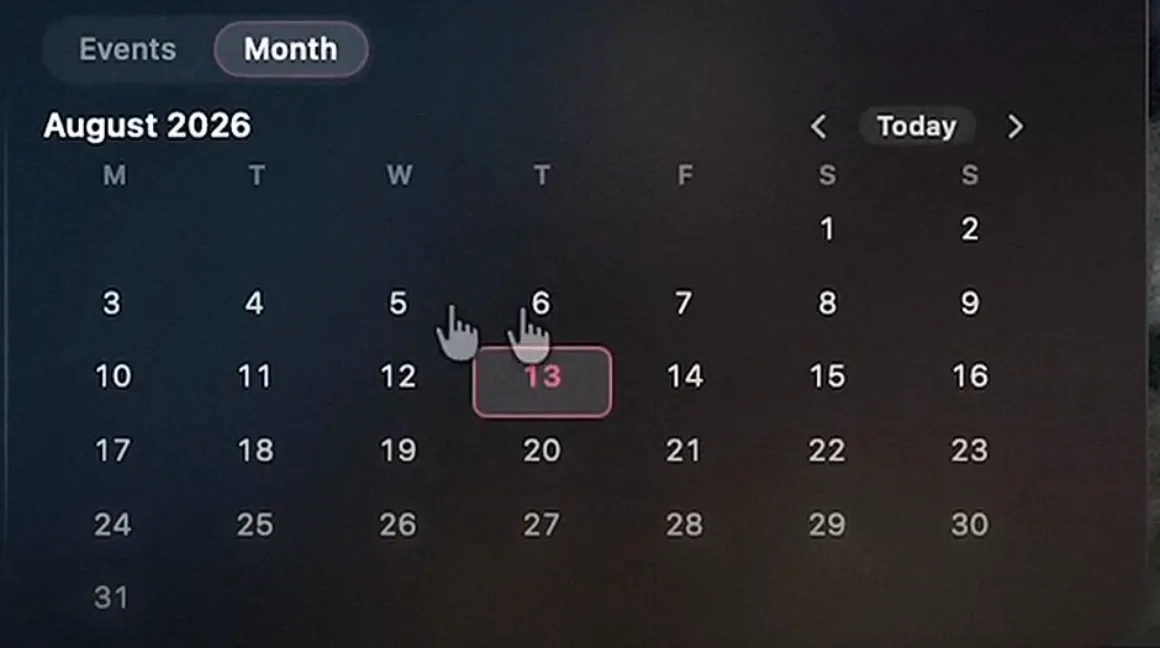
Calendar and events
Your next meeting with the time left before it starts, and a Join button for Zoom, Meet, Teams, Webex and FaceTime. Switch to the month grid when you need the wider view.
Timer
Any duration you like. The notch counts it down in place and sounds an alert when it lands. Try it here, it behaves the same way.
:
System HUD
Volume and brightness stop landing in the middle of your screen and appear in the notch instead, alongside this Mac’s battery and the level of connected AirPods, mice and keyboards.

Weather
Live temperature and conditions in the bar itself. No panel to open, no widget to summon.

Themes and appearance
Seven themes for the panel and nine for the bar, including one that pulls its colour from the album art currently playing. The bar can run a different theme from the panel.
Also in the notch
- AirDropSend whatever is in the tray to a nearby device without opening Finder or a share sheet.
- Camera mirrorA live camera view for checking yourself before a call. It runs only while the section is open.
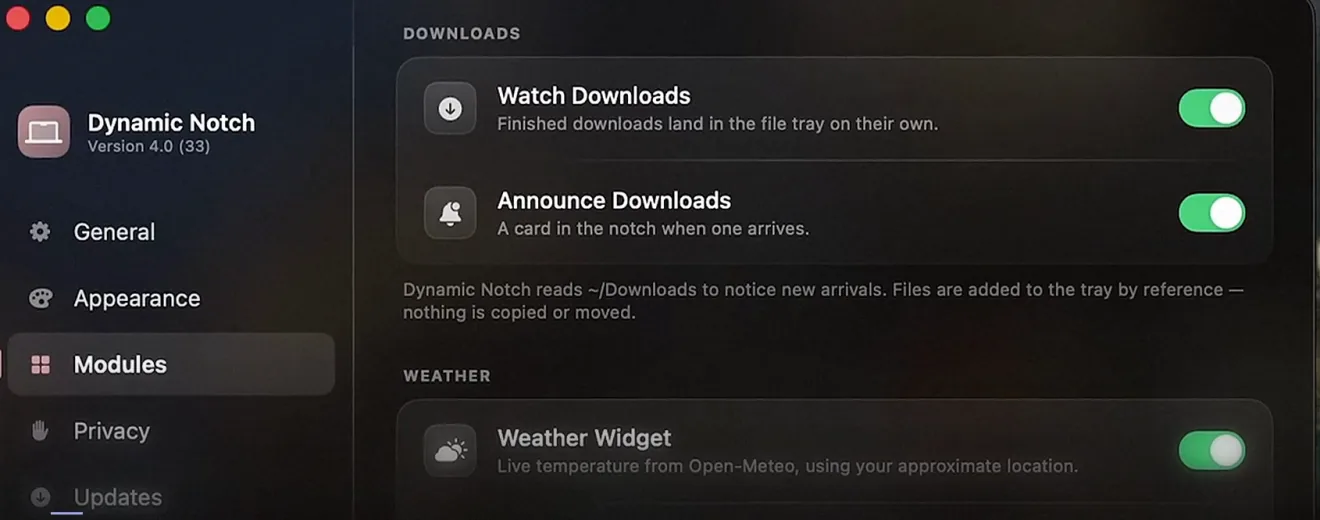
- Download watcherFinished downloads land in the file tray on their own, with a card in the notch when one arrives. They are added by reference, so nothing is copied or moved.
- Finder shortcutOpen Finder straight from the notch toolbar, without hunting for the Dock.
- Global shortcutOpen and close the notch from the keyboard with ⌃⌥⌘N, or set your own.
Try it
Drag a file onto the notch.
This is a working copy of the File Tray, running right here in the page. Drop something on it, nothing is uploaded, nothing leaves your machine.
Drop files here
In the app this sits on your real notch, and the files stay there until you drag them out into Finder, Slack, or AirDrop.
Pricing
$5.99 once. No subscription.
One payment, one Mac app. No account to create, no trial that expires, nothing that stops working if you stop paying.
What's included
- All 16 notch features. No tiers, nothing held back for a higher price.
- Free updates for as long as the app ships, delivered in-app through Sparkle
- ~45 MB of memory and 0% CPU while it sits idle
- Notes, clipboard history and file tray contents never leave your Mac
- No account to create, and nothing stops working if you never come back
What "pay what you want" means
$5.99 is the whole price. The checkout lets you pay more if you want to. It unlocks nothing extra, it just funds the next release.
$5.99once
- macOS 14.6 or later
- Apple Silicon (M1 or later)
- 3.9 MB download
- Notarized by Apple
Purchases run through LemonSqueezy as merchant of record. If it does not work on your Mac, email for a refund.
Setup
Installed in under a minute.
Signed and notarized by Apple, so there is no Gatekeeper detour and no right-click workaround. It opens like anything else you have ever installed.
- 01
Download
Download the .dmg and open it.
- 02
Drag to Applications
Drag Dynamic Notch into your Applications folder.
- 03
Launch it
Launch it, then switch on the modules you want and grant only the permissions those need.
Then turn off the parts you don't want.
Every module is a switch: media player, file tray, clipboard history, calendar, camera, weather, haptics, themes and which panel gets priority in the notch. A module you leave off never asks for a permission. The privacy policy spells out the few network calls it makes.
Specifications
Every number, in one place.
No asterisks. If something here turns out to be wrong on your Mac, that is a refund.
| Price | $5.99 one-time, pay what you want above that |
|---|---|
| Version | 4.0 (build 33) |
| Operating system | macOS 14.6 or later |
| Architecture | Apple Silicon (M1 or later). Intel Macs are not supported. |
| Download size | 3.9 MB |
| Memory | ~45 MB resident |
| CPU, idle | 0% |
| CPU, notch expanded | 2 to 5% |
| Code signing | Signed with an Apple Developer ID and notarized by Apple |
| Written in | Swift and SwiftUI. No Electron, no web view. |
| Open the notch | Hover the top of the screen, or press ⌃⌥⌘N |
| Permissions used | Location for weather, Calendar for events, Camera for the mirror. Each is requested only when you switch that module on, and every module can stay off. |
| Data collected | One anonymous install ping containing the app version |
| Updates | In-app and free, delivered over Sparkle |
| Sold through | LemonSqueezy, as merchant of record |
FAQ
Everything people ask before buying.
Compatibility, privacy, permissions, licensing and the things that go wrong. If your question is not here, ask and you will get a real answer.
What is Dynamic Notch?
Dynamic Notch is a native macOS app that turns the MacBook camera notch into a working control centre, the way the Dynamic Island works on iPhone. Hover the notch or press ⌃⌥⌘N and it expands into a panel with media controls, a file tray, clipboard history, notes, a timer, your calendar, a colour picker and more. It is written in Swift and costs $5.99 once.
Which Macs does Dynamic Notch work on?
Any Apple Silicon Mac running macOS 14.6 or later, starting with the base M1. That covers the MacBook Air and MacBook Pro from 2021 onward, where the notch lives. Intel Macs are not supported.
Does it work on a Mac without a notch, or on an external monitor?
Yes. On a display with no physical notch, Dynamic Notch draws its own panel in the same place at the top of the screen, so a Mac mini or Studio driving an external monitor still gets the file tray, media controls and everything else. The experience is best on a MacBook, where the panel hides inside the real cutout.
How do I install it?
Download the .dmg, open it, and drag Dynamic Notch into your Applications folder. It is signed with an Apple Developer ID and notarized by Apple, so it opens like any other Mac app with no Gatekeeper warning and no right-click workaround. The whole thing takes about a minute.
Is Dynamic Notch safe to install?
Yes. It is notarized by Apple, which means Apple has scanned the build for malware and verified the developer identity. It uses public macOS APIs and runs as an ordinary app in your user account. It never modifies system files, disables System Integrity Protection or installs a kernel extension.
Will it slow down my Mac or drain the battery?
No. Dynamic Notch sits at 0% CPU while idle and 2 to 5% while the panel is open, holding around 45 MB of memory. It is native Swift rather than an Electron wrapper, so there is no browser engine running in the background and no measurable effect on battery life.
What data does Dynamic Notch collect?
Everything runs on your Mac. Notes, clipboard history, file tray contents, calendar events and the camera preview never leave the machine. The only network calls are a one-time anonymous install signal containing the app version, weather lookups against a public API, and the update check. There is no account, no analytics SDK and no personal data collected.
What permissions does it ask for?
Only what a module needs, and only when you switch that module on. Weather asks for your approximate location, the events panel asks for calendar access, and the mirror asks for the camera. Leave a module off and it never asks. You can revoke any of them later in System Settings and the rest of the app keeps working.
Is it a one-time purchase or a subscription?
$5.99 once. There is no subscription, no account to create and no trial that expires. Checkout runs on a pay-what-you-want model, so you can pay more if you want to fund the next release, but it unlocks nothing extra. Every feature is in the one price.
How do updates work, and do they cost anything?
Updates are free and arrive in the app itself through Sparkle, the standard Mac update framework. Dynamic Notch checks for a new build, shows you what changed, and installs it when you say so. You never reinstall from the site or pay again.
Can I get a refund?
Purchases run through LemonSqueezy as merchant of record. If it does not work on your Mac, email for a refund.
How much of it can I customise?
Most of it. Every module is a switch, so you can run the notch with nothing but media controls if that is all you want. There are seven themes for the expanded panel and nine for the collapsed bar, including one that takes its colour from the current album art, and the bar can run a different theme from the panel. Haptics, notch priority, the keyboard shortcut and which display it appears on are all yours to set.
Can I hide the MacBook notch instead?
You can. Dynamic Notch has a hide notch mode that blends the cutout into the menu bar so it stops standing out, which is the usual reason people go looking for a notch app in the first place. The difference is that you can also make the space useful instead of only hiding it, and switch between the two whenever you like.
How is it different from other notch apps and menu bar utilities?
Most notch utilities do one thing, usually a media player or a file drop. Dynamic Notch covers sixteen, so the notch replaces a row of separate menu bar apps rather than joining it. It is native Swift rather than Electron, it is a one-time purchase rather than a subscription, and everything it reads stays on your Mac.
Does it replace my menu bar apps?
Usually several of them. A clipboard manager, a timer, a weather widget, a file shelf and a colour picker are five icons in most menu bars, and Dynamic Notch does all five from a space that was empty anyway. That matters most on a 13 inch MacBook, where the notch is the reason menu bar items get pushed off screen.
What does it actually help me get done?
It removes the small errands that break concentration. Skip a track without raising Spotify. Carry three files from Finder to Slack without a Desktop detour. Check your next meeting without opening Calendar. Grab a hex value with the contrast ratio already worked out. Each one saves a few seconds, and none of them costs you the window you were working in.
The notch will not open. What should I check?
Move the pointer to the very top edge of the screen over the notch itself and hold it there for a moment, or press ⌃⌥⌘N. If nothing happens, confirm Dynamic Notch is running, check that the display you are hovering is the one it is set to in Settings, and make sure the module you expect is switched on under Modules. If it still will not open, get in touch and you will get a reply.
Something not covered? Ask directly, or read the changelog to see what shipped in 4.0.
Longer reads: how to hide the MacBook notch and why your Mac deserves a Dynamic Island.
From the same creator
Also made by Aryaan.

WeType
AI autocomplete for every Mac app. A model running on your Mac predicts the rest of your sentence, and Tab accepts it.